How We Made Agent Skills Feel Free
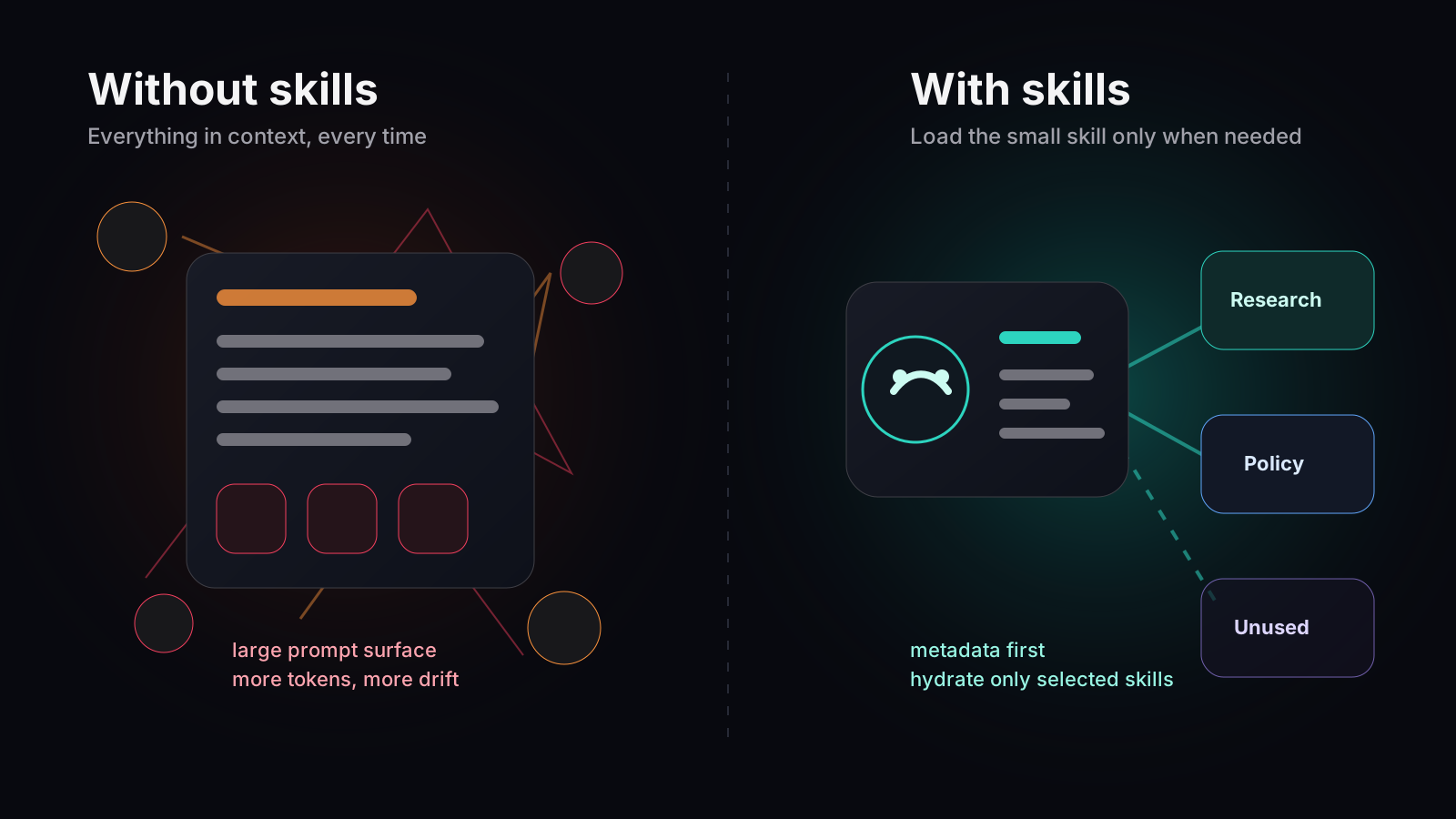
A practical look at lazy-loaded agent skills: metadata first, full files only when needed, and no persistent VM required.
Read
How teams are replacing brittle automation chains with intelligent agents that handle 50 or more steps, make decisions, and recover from errors on their own.

Every operations team has a graveyard of broken automations. Workflows that worked fine for six months until an API changed. Zaps that silently failed because a field was renamed in the CRM. Make scenarios that grew so complex that nobody dared touch them. The problem is not the tools. The problem is that traditional workflow automation was designed for simple, linear processes in a world that is anything but.
Flow builders like Zapier, Make, and n8n work well for straightforward sequences: when X happens, do Y, then do Z. They start to struggle when workflows need to make decisions, handle exceptions, or adapt to varying inputs.
Consider a seemingly simple process: when a new customer signs up, set up their account. In reality, this involves checking if the customer already exists in the CRM, creating or updating their record, provisioning access in multiple tools, sending a welcome email sequence customized to their plan tier, notifying the account manager in Slack, creating an onboarding checklist in the project management tool, and scheduling a kickoff call.
In a flow builder, this becomes a sprawling diagram with dozens of branches, conditional paths, and error handlers. Each branch adds complexity. Each integration point is a potential failure. And when the process needs to change, modifying the flow without breaking something is a nerve-wracking exercise.
Yast agents approach the same problem differently. Instead of defining every step and branch in a visual diagram, you describe the desired outcome and the rules the agent should follow. The agent determines the execution path dynamically.
A customer onboarding agent on Yast might have a description like: "When a new customer signs up, ensure they are properly set up across all systems. Check for existing CRM records and update rather than duplicate. Provision access based on their plan tier. Send appropriate welcome communications. Notify the account team and create onboarding tasks."
The agent interprets this description and generates an execution plan. It connects to the CRM, checks for duplicates, provisions access, sends emails, posts to Slack, and creates project tasks. If the CRM API returns an unexpected error, the agent retries. If a tool is temporarily unavailable, the agent skips that step and comes back to it later.
The real advantage of multi-step agents becomes clear as processes grow. Traditional workflows become exponentially harder to maintain as they get more complex. Agents maintain the same simplicity regardless of how many steps are involved.
We have customers running agents with 50 or more steps. One customer's monthly reporting agent collects data from seven different sources, performs calculations, generates a narrative summary, creates charts, compiles everything into a PDF, emails it to stakeholders, posts highlights to Slack, updates a tracking spreadsheet, and archives the raw data. Describing this as a flow diagram would require a wall-sized whiteboard. Describing it as an agent takes three paragraphs of plain English.
In traditional workflow automation, error handling is something you add after the fact, usually after the first failure. You add a try-catch here, a retry there, and a notification for failures that you cannot handle automatically. Over time, the error handling logic becomes as complex as the workflow itself.
Yast agents handle errors as a fundamental part of their execution. When a step fails, the agent evaluates whether to retry, skip, use an alternative approach, or escalate. These decisions are based on the nature of the error, the importance of the step, and the overall context of the task.
For example, if an agent is enriching leads and one enrichment API is down, the agent will try an alternative data source, skip that enrichment field and note it for later, or proceed with partial data if the remaining fields are sufficient. It does not just stop and send an error notification.
Teams that migrate from flow-based automation to Yast agents consistently report three things. First, they are surprised by how much simpler the agent descriptions are compared to the flow diagrams they replace. Second, they appreciate that agents handle edge cases they never thought to account for. Third, they notice that maintenance effort drops dramatically because there are no flow diagrams to update when integrations change.
One operations team replaced 23 separate Zapier workflows with 4 Yast agents. The workflows had accumulated over two years and covered customer onboarding, offboarding, billing synchronization, and support ticket routing. The Yast agents covered the same scope with clearer logic and better error handling.
We believe in honesty about where agents fit and where they do not. For truly simple, linear automations with no decision-making, a traditional workflow tool might be the better choice. If your process is "when a form is submitted, add a row to a spreadsheet," you do not need an AI agent.
Agents shine when processes involve judgment calls, variable paths, multiple integrations, or complex error handling. The more human-like the decision-making required, the better an agent will perform compared to a static workflow.
The best way to start is to pick your most painful workflow. Look for the automation that breaks most often, requires the most maintenance, or has the most conditional branches. Describe what it should do in plain English, connect the relevant tools, and let the agent figure out the execution.
Most teams find that their first agent takes about an hour to set up and starts delivering value on its first run. The agent will not be perfect immediately, but because of the self-improvement loop, it will get better with every execution.
The shift from flow builders to intelligent agents is not incremental. It is a fundamentally different approach to automation, one that scales with your complexity instead of being overwhelmed by it.
A practical look at lazy-loaded agent skills: metadata first, full files only when needed, and no persistent VM required.

Yast is live: describe AI agents in plain English, connect your tools, and let them improve after every run.

No single AI model is best at everything. Learn how Yast routes tasks to GPT, Claude, Gemini, Deepseek, and Mistral for optimal results.

Describe what you need. Yast builds the agent, connects your tools, runs it on autopilot, and it gets smarter every time.
Get Started